Bank statements are one of the most reliable indicators of real financial behavior. They capture actual cash movement, spending discipline, and income stability. Yet, despite their importance, bank statements are still commonly shared as PDFs of static files that are not built for analysis.
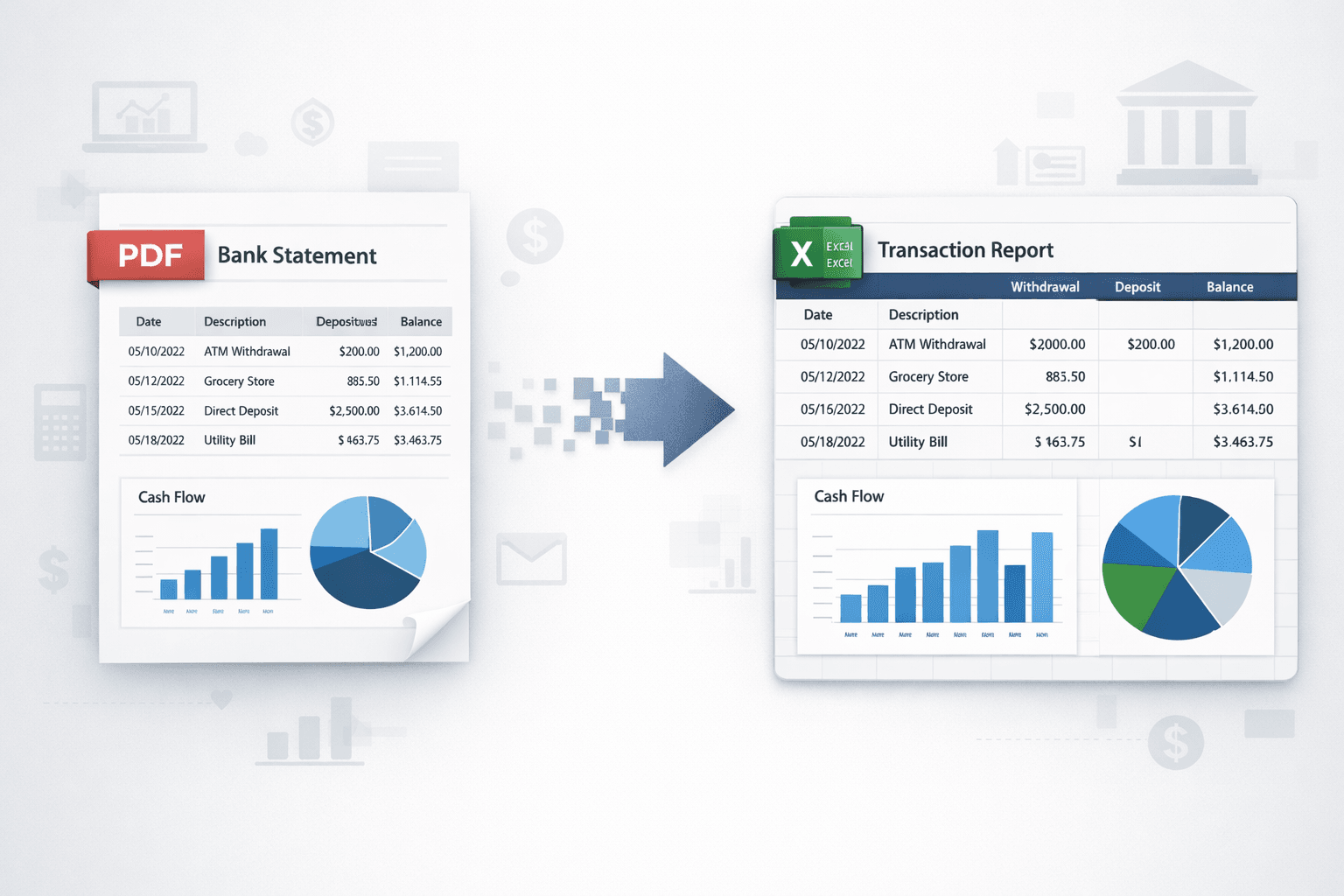
For finance professionals, this creates a recurring challenge. You cannot build models, automate workflows, or perform consistent reviews on raw PDFs. To unlock value, you need structured data typically by converting a PDF bank statement to Excel or JSON.
This guide walks through the process step by step and explains how automation makes bank statement analysis faster, more accurate, and scalable.
Why PDF Bank Statements Are Hard to Analyze
PDFs are designed for presentation, not computation. Although statements appear tabular, the underlying data is unstructured. Rows and columns are visual elements, not actual datasets.
Each bank follows a different format. Narrations vary. Some statements are scanned. Others are digitally generated. This variability makes manual handling inefficient and error-prone.
For finance teams, the impact is immediate:
- Time lost in copy-paste and cleanup
- Inconsistent transaction interpretation
- Difficulty scaling analysis across volumes
If you want to understand how automation changes this dynamic, explore our detailed comparison of manual vs automated bank statement analysis in AI-driven lending.
👉 Still reviewing statements manually? Explore how a Bank statement analyser can help you get started faster.
PDF Bank Statement to Excel vs JSON – What’s the Difference?
Before converting statements, it is important to choose the right output format based on how the data will be used.
When Excel Is the Right Choice
Excel remains the preferred format for:
- Financial reviews and reconciliation
- Cash flow tracking and reporting
- Analyst-led assessments and internal reviews
Most finance teams choose Excel because it allows quick filtering, aggregation, and validation.
When JSON Makes More Sense
JSON outputs are ideal for:
- API-based ingestion
- Credit decisioning and underwriting systems
- Fintech platforms that require automation
In many organizations, Excel supports human analysis, while JSON powers system-driven workflows.
Step-by-Step: Convert Bank Statement PDF to Excel
Accurate conversion involves more than simple file transformation.
Step 1: Upload the PDF Bank Statement
The process begins by uploading the statement into a reliable bank statement PDF converter. The tool should handle scanned files, multi-page documents, and different bank layouts without breaking transaction continuity.
Step 2: Automated Bank Statement Data Extraction
The system extracts key data points, including transaction dates, narrations, debit and credit values, and balances. Advanced platforms automate this entire process, eliminating manual intervention.
For a deeper look at how this conversion works in practice, read our guide on PDF bank statement conversion with accuracy—from paper to insights.
Step 3: Analysis and Validation
Extraction alone is not enough. Transactions must be validated and analyzed to support meaningful outcomes. Automated bank statement analysis ensures consistency across statements and highlights anomalies that manual reviews often miss.
According to Investopedia, cash flow patterns provide a clearer view of financial health than static balances—making structured transaction data critical.
Step 4: Export Clean Data to Excel
Once validated, the data is exported into Excel with standardized columns. At this stage, the process to convert a bank statement PDF into Excel is complete and ready for analysis, reporting, or credit evaluation.
How Financial Statement Parsers Improve Accuracy at Scale
As volumes increase, manual tools and generic converters begin to fail. This is where a dedicated financial statement parser becomes essential.
A parser is built to interpret financial documents contextually. It understands banking patterns, transaction behavior, and layout differences across institutions.
Solutions like Pro Analyser go beyond extraction. They analyze statements using advanced capabilities such as:
- Circular transaction detection
- Cash flow normalization
- Tampered PDF detection
- Income and expense trend analysis
These features help finance teams focus on insights rather than cleanup.
If transaction terminology ever feels unclear, you may find our bank statement terms and definitions guide useful.
👉 Want to simplify large-scale reviews? Try now and see how a bank statement parser can streamline your workflow.
Using Excel Outputs for Bank Statement Analysis
Once statements are converted and analyzed, structured Excel outputs unlock deeper insights.
Finance professionals can perform:
- Cash flow analysis to assess repayment capacity
- Income consistency evaluation
- Expense behavior and trend analysis
- Early risk flag identification
Structured data enables better decisions, faster reviews, and more consistent outcomes – especially in lending and risk workflows.
Regulators also emphasize strong data foundations. Institutions guided by frameworks from bodies like the Reserve Bank of India highlight the importance of accurate and auditable financial analysis.
Conclusion
PDF bank statements contain valuable financial intelligence, but only when they are converted and analyzed correctly. Manual methods limit accuracy, speed, and scalability.
By automating the process and using tools that convert PDF bank statements to Excel, finance professionals gain structured data, built-in analysis, and actionable insights. Modern solutions enable consistent reviews, better risk assessment, and faster decision-making.
👉 Ready to modernize your workflow? Simplify your reviews with a Bank statement analyser and get actionable insights today.